The Best Digital Platforms for Building an Online Portfolio
The Best Digital Platforms for Building an Online Portfolio
In today’s digital world, having a strong online portfolio can be one of the most effective ways to showcase your skills, experience, creativity, and professional achievements. Whether you are a designer, photographer, writer, developer, marketer, freelancer, student, or creative professional, an online portfolio allows you to present your work to potential clients, employers, and audiences around the world.
A traditional resume can explain what you have done, but an online portfolio can actually demonstrate your abilities. It can include project examples, case studies, images, videos, testimonials, articles, certificates, and other work samples.
The good news is that you do not always need advanced coding skills to create a professional portfolio. Many digital platforms provide templates, customization tools, hosting, and easy publishing features that make portfolio creation accessible to beginners.
In this article, we will explore the best digital platforms for building an online portfolio, what makes each type of platform useful, how to choose the right option, and practical tips for creating a portfolio that represents your skills professionally.
What Is an Online Portfolio?
An online portfolio is a digital collection of your work, skills, achievements, and professional information.
Unlike a traditional resume, a portfolio can provide visual or interactive evidence of your abilities.
For example:
- A graphic designer can showcase logos and branding projects.
- A photographer can display photography collections.
- A writer can publish articles and samples.
- A web developer can showcase websites and applications.
- A video editor can display completed video projects.
- A marketer can present campaigns and case studies.
- A student can showcase academic and creative projects.
An online portfolio can function as your digital professional identity and make it easier for people to understand what you can do.
Why Is an Online Portfolio Important?
The internet has changed how people discover professionals and businesses. Instead of relying only on a printed resume or personal recommendations, employers and clients can now search for someone’s work online.
A professional portfolio can help you:
- Showcase your skills
- Build credibility
- Demonstrate experience
- Attract potential clients
- Support job applications
- Build a personal brand
- Share projects easily
- Reach an international audience
For freelancers and creative professionals, a portfolio can be especially valuable because potential clients often want to see examples before deciding to work with someone.
Best Digital Platforms for Building an Online Portfolio
There is no single platform that is perfect for everyone. The right choice depends on your profession, technical skills, budget, design preferences, and goals.
Below are several popular categories and platforms worth considering.
1. WordPress
WordPress is one of the most flexible options for creating a professional online portfolio.
It offers extensive customization through themes and plugins, allowing users to create everything from a simple portfolio website to a larger professional website.
WordPress can be useful for:
- Designers
- Writers
- Developers
- Photographers
- Freelancers
- Consultants
- Small businesses
One of its biggest advantages is flexibility. You can create dedicated project pages, blog posts, galleries, contact forms, and other sections.
However, WordPress may require more setup and maintenance than simpler portfolio builders.
2. Wix
Wix is a popular website-building platform that allows users to create websites using visual editing tools.
It can be particularly useful for people who want to build a portfolio without writing code.
Wix offers customizable templates and website-building features that can help users create portfolios for different professions.
It is suitable for:
- Artists
- Designers
- Photographers
- Freelancers
- Consultants
- Small businesses
The visual editor can make it easier for beginners to arrange portfolio sections and customize the appearance of their websites.
3. Squarespace
Squarespace is known for its professionally designed website templates and visually focused layouts.
It can be a strong option for people whose work depends heavily on presentation and visual quality.
For example, photographers, designers, artists, and creative professionals can use portfolio-focused layouts to present their projects in an organized way.
Important portfolio features can include:
- Image galleries
- Project pages
- Contact pages
- About sections
- Blogging tools
- Responsive website designs
A clean design can help visitors focus on the quality of the work being presented.
4. Behance
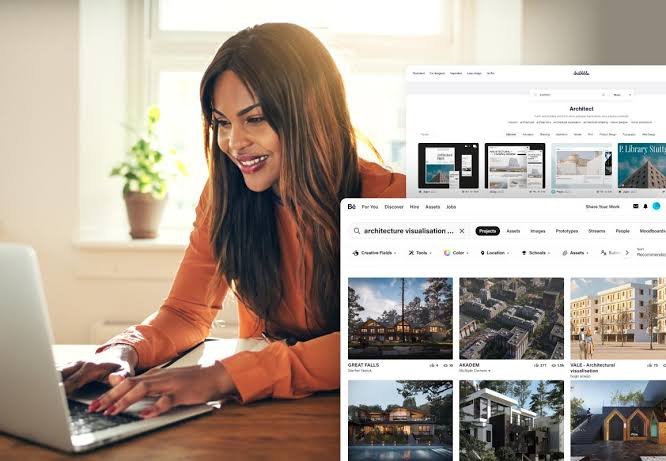
Behance is particularly useful for creative professionals who want to showcase individual projects within a professional creative community.
Designers, illustrators, photographers, artists, and other creative professionals can publish projects and organize their work into an online profile.
One major advantage is that Behance is not simply a personal portfolio website. It also provides a community where creative work can be discovered by other users.
This can make it useful for professionals who want both portfolio exposure and networking opportunities.
5. Dribbble
Dribbble is another platform widely associated with the design community.
It can be useful for:
- UI designers
- UX designers
- Graphic designers
- Illustrators
- Product designers
- Creative professionals
Designers can showcase selected pieces of work and build an online presence within a design-focused community.
Because the platform emphasizes visual work, presentation quality is particularly important.
6. GitHub
GitHub is especially valuable for software developers and technical professionals.
Instead of focusing primarily on visual portfolio pages, GitHub allows developers to showcase code repositories and software projects.
A strong GitHub profile can include:
- Programming projects
- Open-source contributions
- Documentation
- Web applications
- Software tools
- Coding experiments
Developers can also create a profile README or connect their projects to a personal website.
For technical careers, demonstrating actual project work can provide useful evidence of practical skills.
7. Adobe Portfolio
Adobe Portfolio can be useful for creative professionals who want to create a portfolio website with a strong visual focus.
It is particularly relevant for photographers, designers, artists, and other professionals who already work within the Adobe ecosystem.
A portfolio can include project galleries, images, and personal information while maintaining a clean presentation.
For professionals whose work is highly visual, an organized gallery can make it easier for visitors to explore their projects.
8. Notion
Notion can also be used to create a simple online portfolio.
It is especially useful for students, writers, project managers, researchers, and professionals who want a flexible way to organize information.
A Notion-based portfolio can include:
- About information
- Resume details
- Project descriptions
- Case studies
- Writing samples
- Skills
- Links
- Contact information
Its simple structure makes it possible to create a portfolio without spending significant time on website design.
9. LinkedIn
LinkedIn is not a traditional portfolio-building platform, but it can play an important role in your online professional presence.
A LinkedIn profile can include professional experience, skills, education, projects, certifications, and other career information.
Users can also share professional content and project-related posts.
For many professionals, combining a personal portfolio website with a strong LinkedIn presence can create a more complete professional identity online.
How to Choose the Right Portfolio Platform
With so many options available, choosing a platform can seem difficult.
The best approach is to identify your goals first.
Consider Your Profession
Different professions benefit from different portfolio formats.
For example:
- Developers may prefer GitHub and a personal website.
- Designers may benefit from Behance or Dribbble.
- Photographers may prefer a visual website builder.
- Writers may need a platform that emphasizes articles and case studies.
- Students may prefer a simple platform such as Notion or a website builder.
Consider Your Technical Skills
If you have coding experience, you may prefer a platform that gives you more control.
If you are a beginner, a drag-and-drop website builder may be easier.
The goal is not to choose the most technically advanced platform. The goal is to choose a platform that allows you to present your work effectively.
Consider Your Budget
Some platforms offer free plans, while others require paid subscriptions or separate hosting and domain costs.
Before choosing a platform, consider:
- Website costs
- Domain costs
- Hosting
- Premium templates
- Storage
- Additional features
A simple portfolio does not necessarily require a large budget.
Consider Customization
If you want complete control over your portfolio’s design and functionality, look for a platform that provides extensive customization.
If you simply want a clean place to display your work, a simpler platform may be enough.
Essential Sections of a Professional Online Portfolio
Choosing a platform is only the first step. The content of your portfolio is even more important.
Homepage
Your homepage should quickly explain who you are and what you do.
A simple introduction can include your professional title and a short description of your main skills.
About Me
The About section gives visitors more information about your background, experience, interests, and professional goals.
Keep it clear and relevant rather than making it unnecessarily long.
Projects
Your projects are usually the most important part of a portfolio.
Choose your strongest and most relevant work instead of uploading everything you have ever created.
For each project, consider including:
- Project title
- Short description
- Your role
- Tools used
- Challenges
- Results
- Images or examples
- Link to the finished project when appropriate
Skills
Create a clear list of relevant skills.
Avoid adding every skill you have ever used. Focus on the abilities that are most relevant to the type of work you want to attract.
Testimonials
If you have worked with clients, employers, teachers, or collaborators who can provide appropriate testimonials, these can add credibility to your portfolio.
Contact Information
Make it easy for visitors to contact you.
Depending on your situation, you can include an email address, contact form, or professional social profile.
Tips for Creating a Strong Online Portfolio
Keep the Design Simple
A complicated design can distract visitors from your work.
Use clear navigation, readable text, consistent spacing, and an organized layout.
Showcase Quality Over Quantity
You do not need dozens of projects.
A smaller collection of strong, relevant projects can be more effective than a large collection of unfinished or unrelated work.
Tell the Story Behind Your Projects
Do not simply upload an image or link.
Explain what the project was, what your role was, what challenges you faced, and what you achieved.
This gives potential clients or employers a better understanding of your abilities.
Make Your Portfolio Mobile-Friendly
Many people browse websites on smartphones.
Make sure your portfolio works properly on different screen sizes and that images, text, navigation, and buttons remain easy to use.
Optimize Your Portfolio for Search Engines
SEO can help people discover your portfolio through search engines.
Use relevant keywords naturally in:
- Page titles
- Headings
- Project descriptions
- Image alt text
- Meta descriptions
- URLs
For example, a web designer might naturally use phrases such as “freelance web designer portfolio” or “professional website design projects.”
Avoid excessive keyword repetition because readability should remain the priority.
Common Mistakes to Avoid
Creating a portfolio does not automatically make it effective. Several common mistakes can reduce its impact.
Too Much Information
A portfolio should be easy to explore. Avoid filling every page with unnecessary text.
Poor-Quality Images
For visual professionals, low-quality images can make otherwise good work look less professional.
Missing Contact Information
Visitors should not have to search through multiple pages to find a way to contact you.
Outdated Projects
Regularly review your portfolio and remove projects that no longer represent your current abilities or goals.
Broken Links
Check your portfolio regularly to ensure that project links, social profiles, and contact forms work correctly.
The Future of Online Portfolios
Online portfolios are continuing to evolve as digital tools become more advanced.
Interactive websites, video presentations, AI-assisted design tools, digital case studies, and personalized portfolio experiences can give professionals new ways to present their work.
However, the fundamental purpose of a portfolio remains the same: demonstrate what you can do and make it easy for the right people to understand your value.
The strongest portfolios will likely combine good design, useful information, strong project examples, and an easy user experience.
Conclusion
Building an online portfolio is an important step for anyone who wants to establish a professional presence on the internet. The best digital platform depends on your profession, goals, technical skills, budget, and the type of work you want to showcase.
Platforms such as WordPress, Wix, Squarespace, Behance, Dribbble, GitHub, Adobe Portfolio, Notion, and LinkedIn can serve different portfolio needs.
The platform itself is only part of the equation. A successful online portfolio should contain high-quality work, clear descriptions, simple navigation, relevant information, and easy contact options.
Whether you are a student starting your career, a freelancer searching for clients, or an experienced professional building your personal brand, an online